Buraco: Play with Friends

Rebuilding our social matchmaking experience 🃏

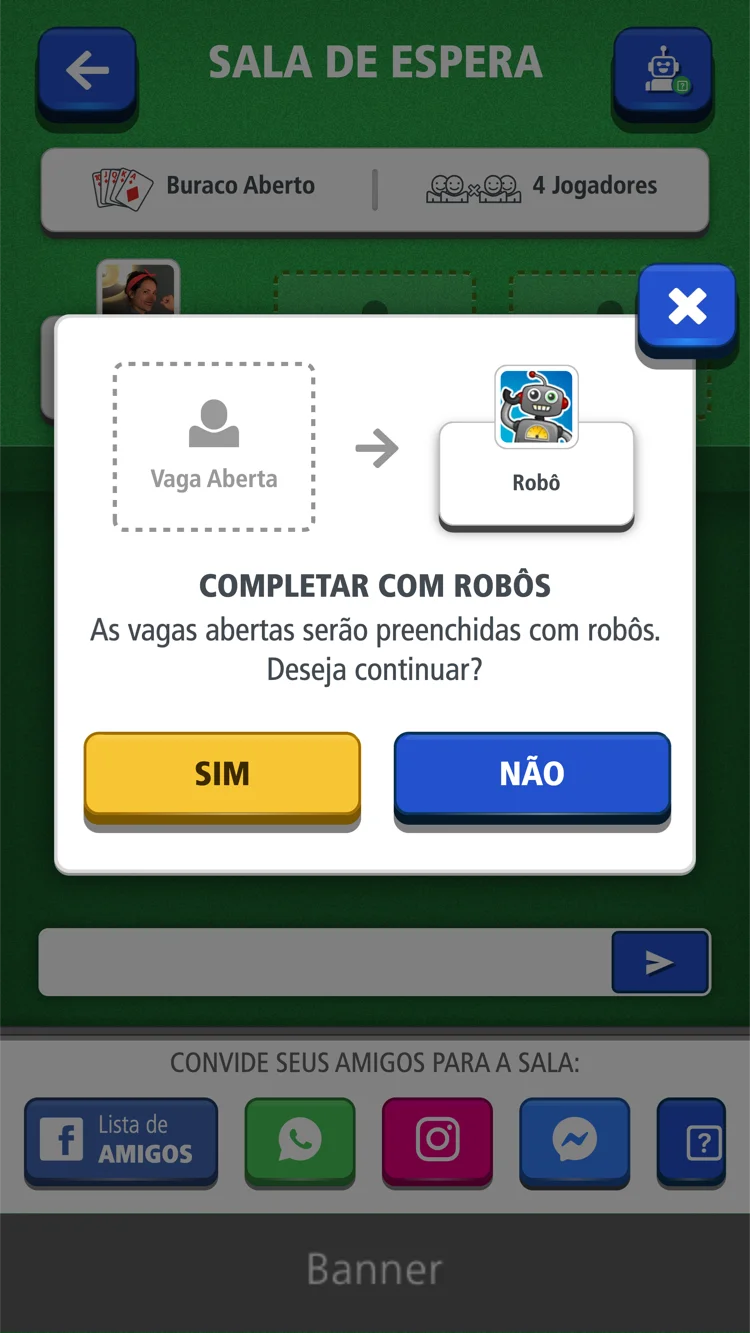
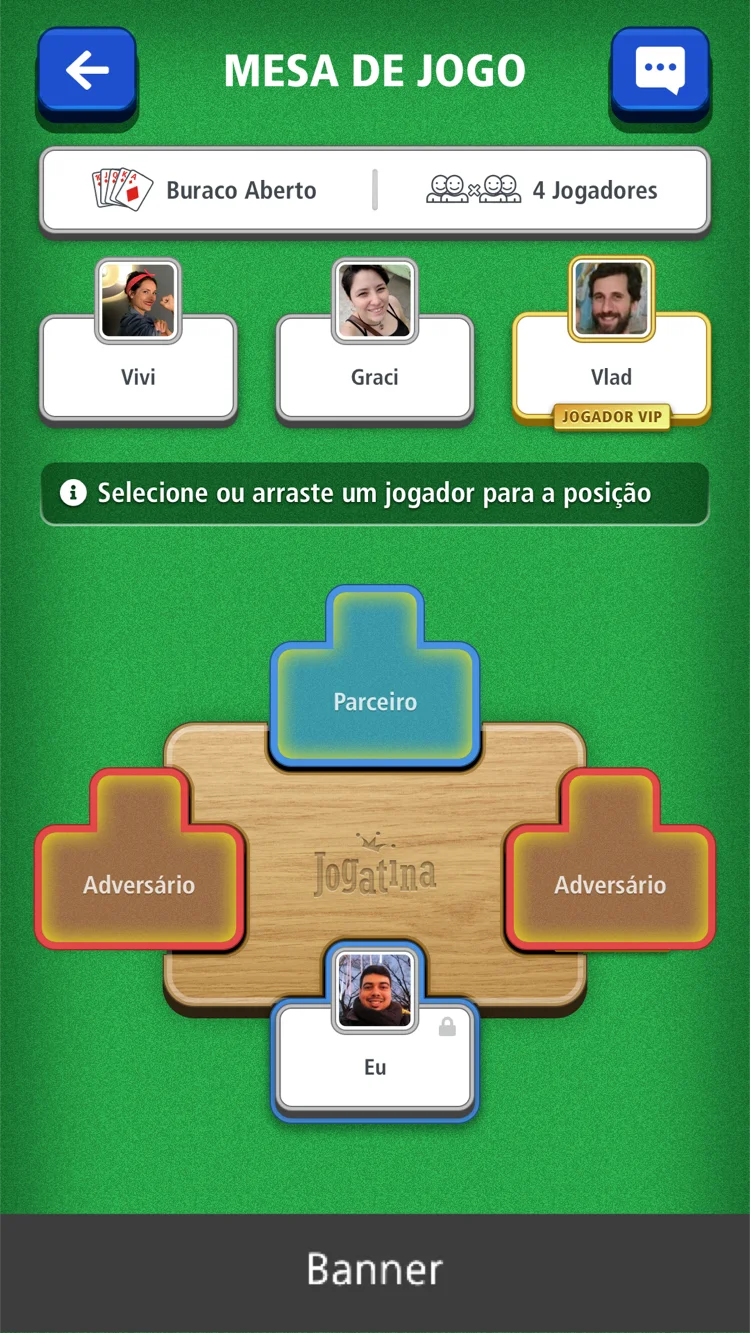
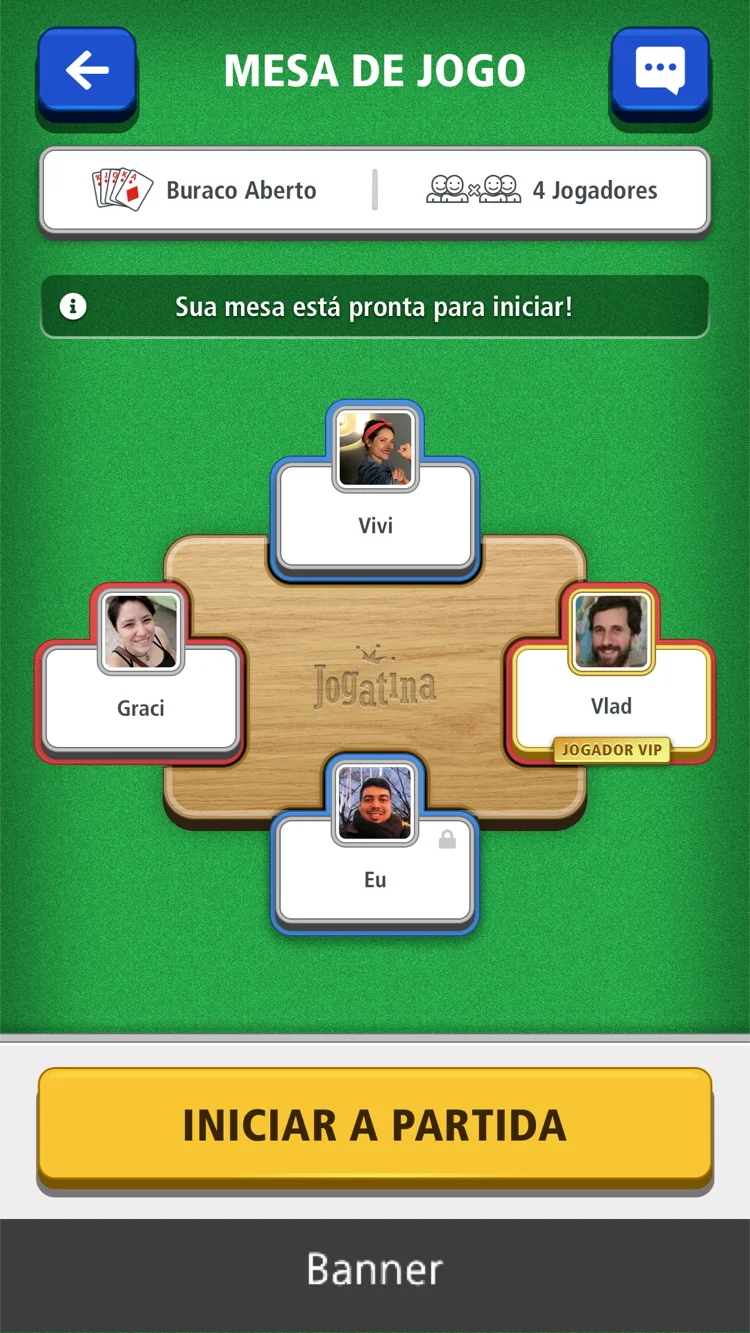
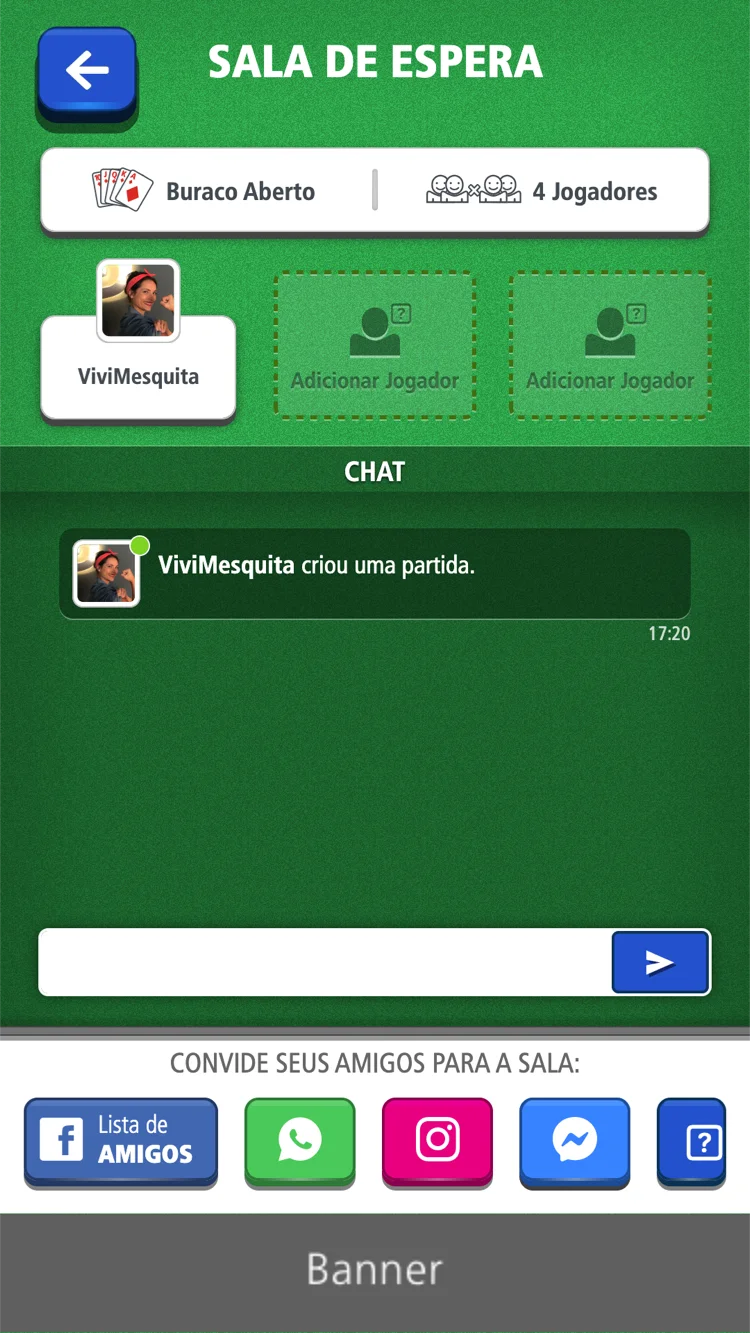
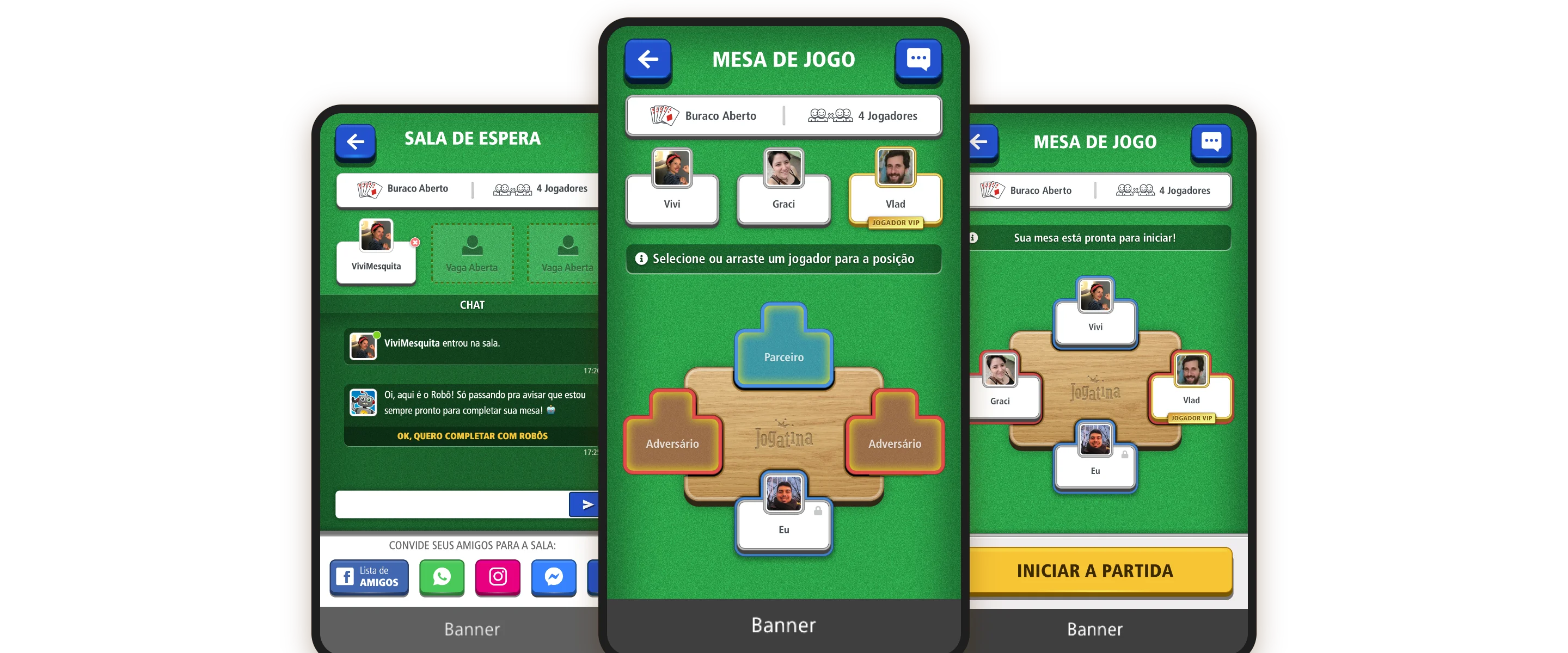
Three screens of the new Play with Friends: the waiting room chat, the host seating a partner and two opponents at the game table, and the table ready to start

Overview

Buraco is a traditional card game in Brazil and Gazeus' biggest product. It started over 10 years ago as a Flash game for desktop browsers, then launched on iOS and Android in the following years. It has over 400k daily active users, more than 10 million downloads and a very loyal user base.

Role

Gazeus Games
Senior UI/UX Designer

Gazeus Games

Rio de Janeiro - Brazil (Remote)

2020

The Opportunity

The pandemic hit and our whole year's roadmap went down, with the company moving to remote work and adapting its process.

Our users changed as well, playing more online matches and chatting more. We saw an opportunity in this and decided to remake an old feature called Play with Friends. It had a lot of potential, and with a new UX we could give our users an easy way to invite their friends and play.

Discovery Process

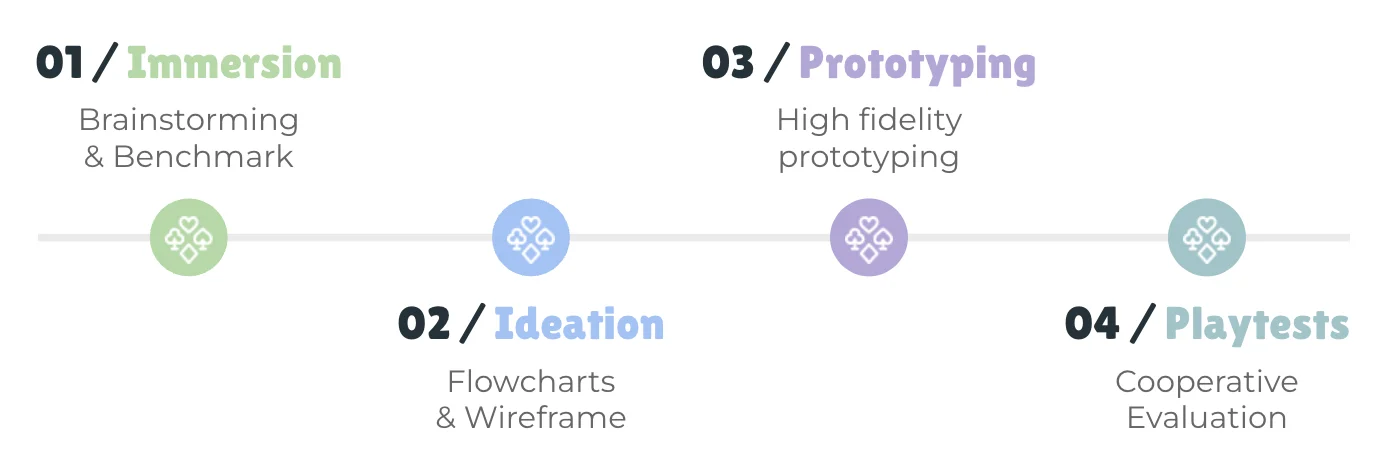
Discovery process: 01 Immersion (brainstorming and benchmark), 02 Ideation (flowcharts and wireframe), 03 Prototyping (high fidelity prototyping), 04 Playtests (cooperative evaluation)

Immersion

Brainstorming

We used Mural to choose and prioritize which features were essential to this new version. We also drafted our users' journey in these sessions.

Benchmark

In this group exercise, each member of our team brought a good (or a bad) multiplayer lobby creation experience. This let us look at positive and negative experiences from different perspectives, and identify a few pain points to avoid.

Flowchart & Wireframe

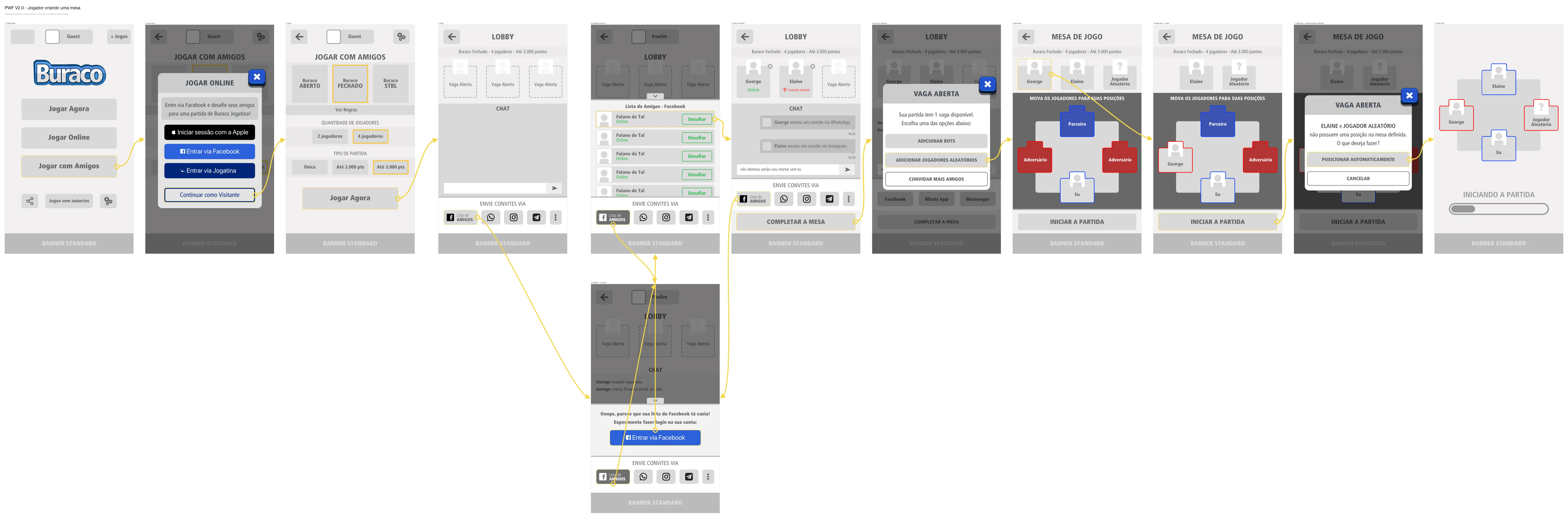
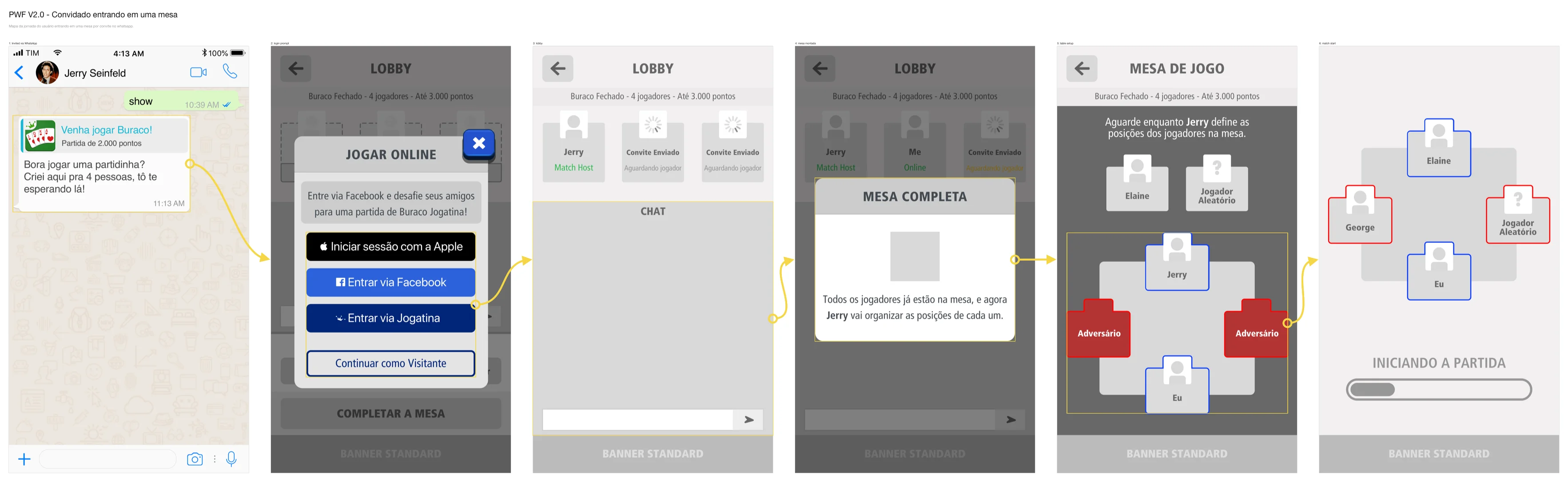
Two different user flows:

  • Host: the player who creates the lobby, invites their friends and organizes the pairs (in a 4 player match).
  • Guest: the player who receives an invitation through another messaging app or social media.

Low Fidelity Prototype (Host)

Host flow wireframes: from the home screen to Play with Friends, picking the game mode, the lobby, inviting friends through Facebook, WhatsApp or Instagram, filling empty seats with bots or random players, then arranging partner and opponents at the table before the match starts

Low Fidelity Prototype (Guest)

Guest flow wireframes: a WhatsApp invitation to play Buraco, signing in, joining the lobby, a full table message, waiting while the host sets the seats, then the match starting

Mockups

Host Userflow: Creating a lobby and inviting friends

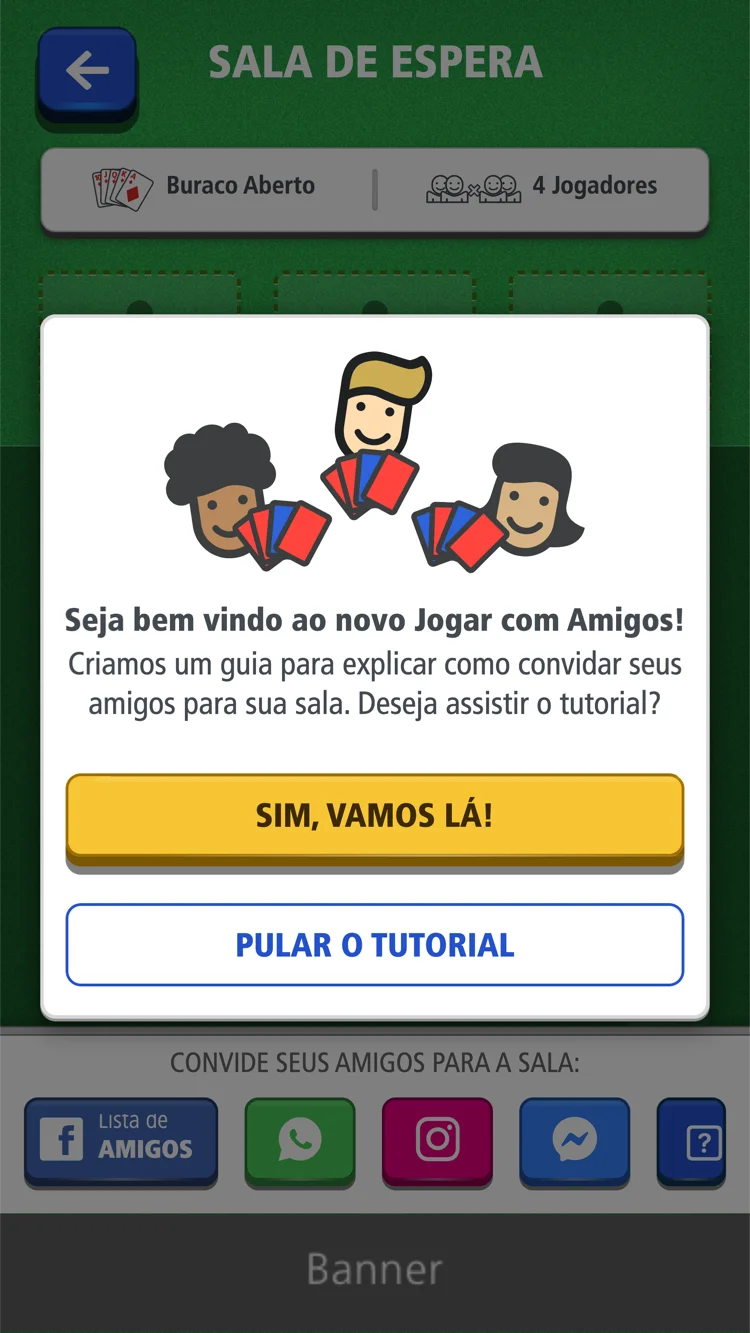
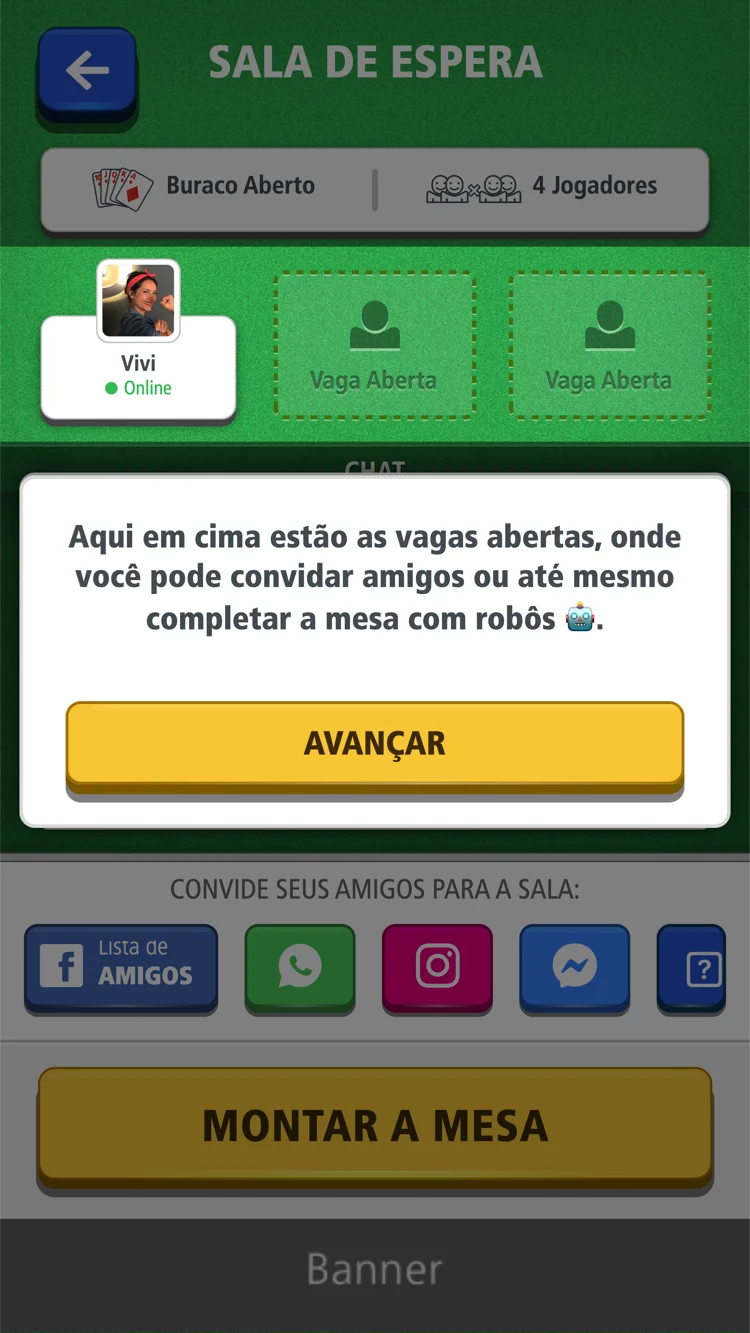
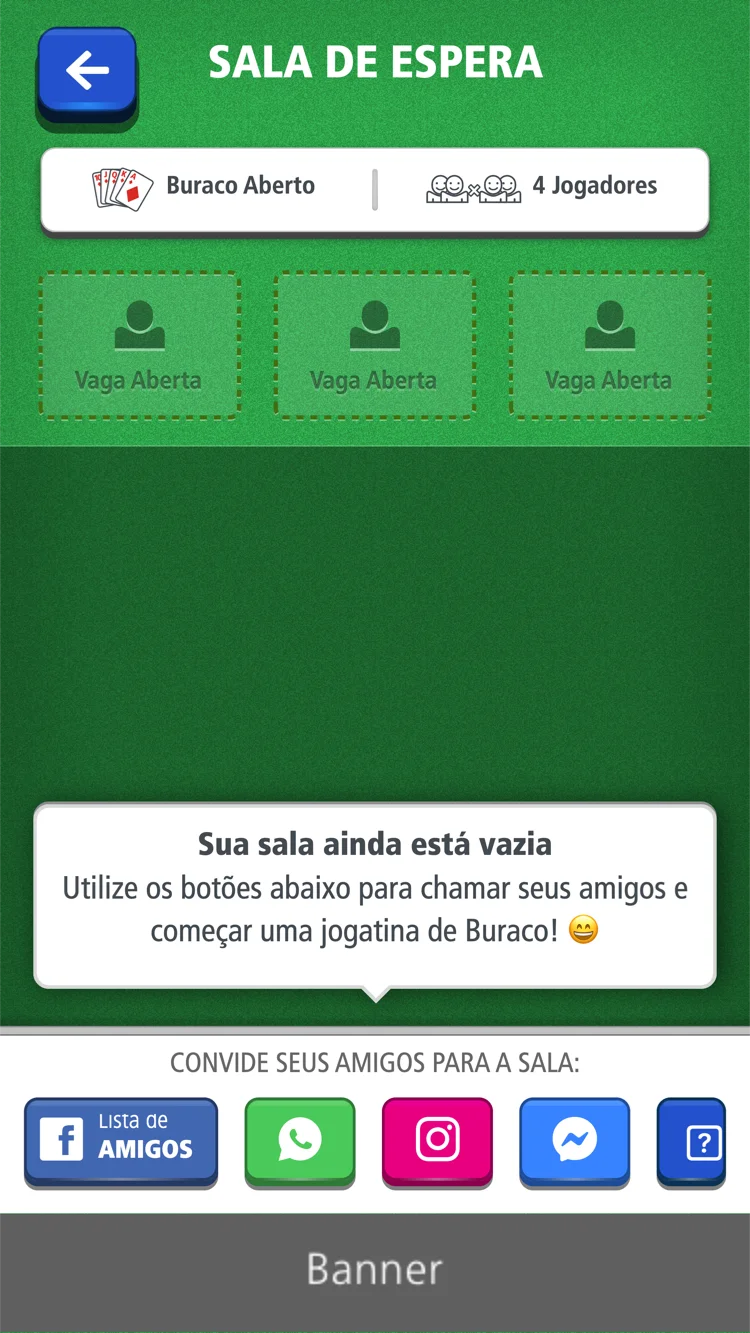
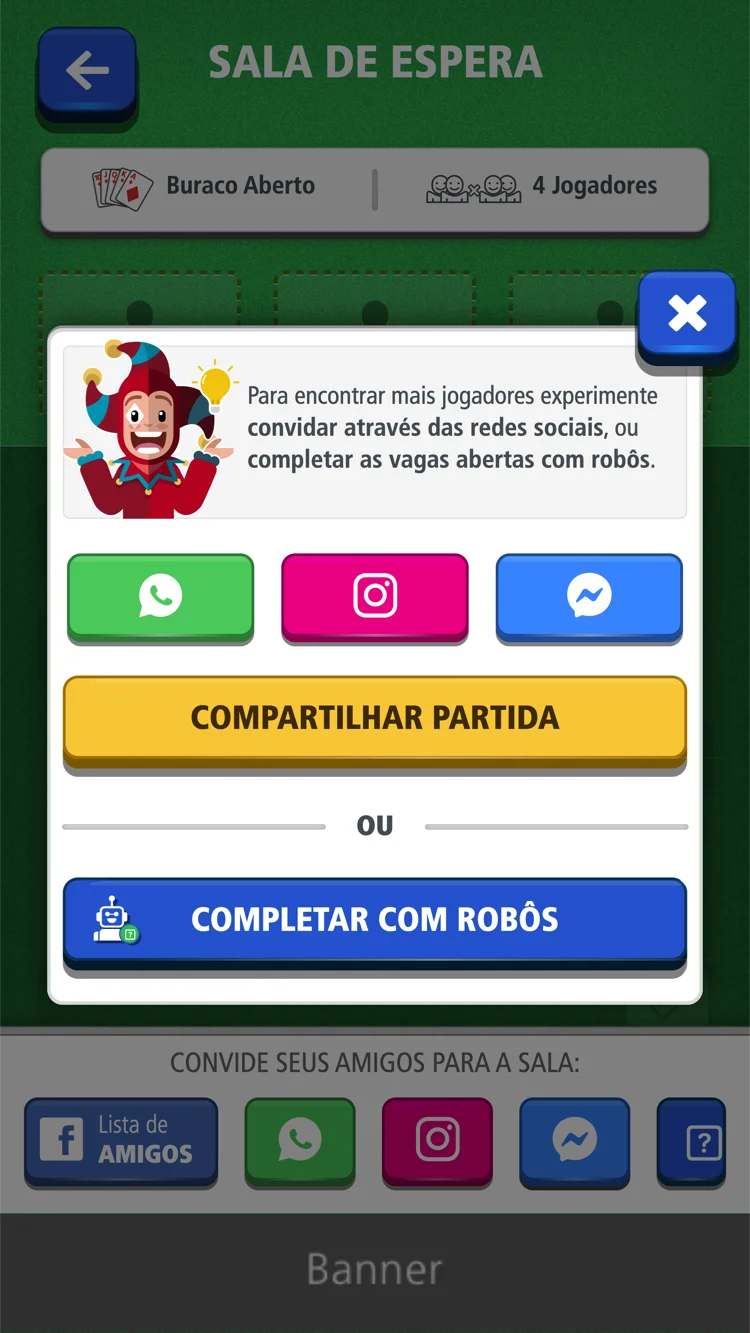
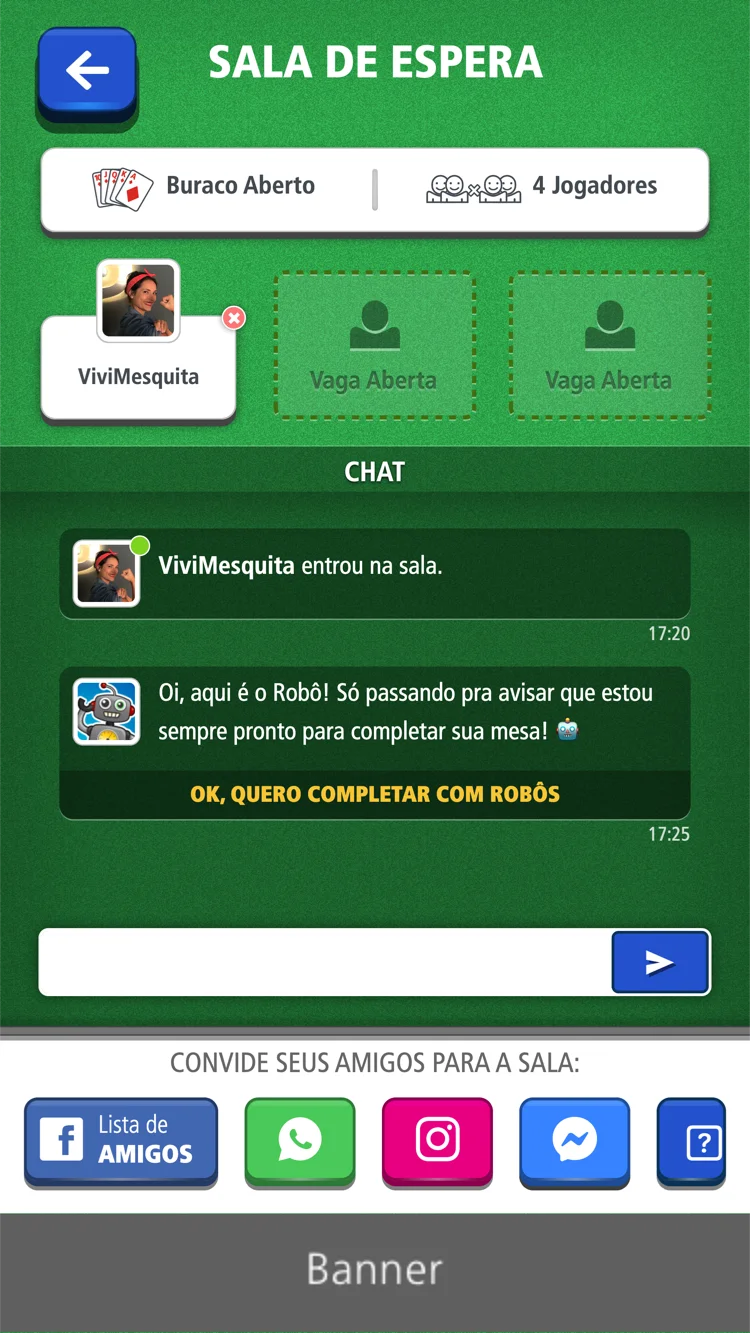
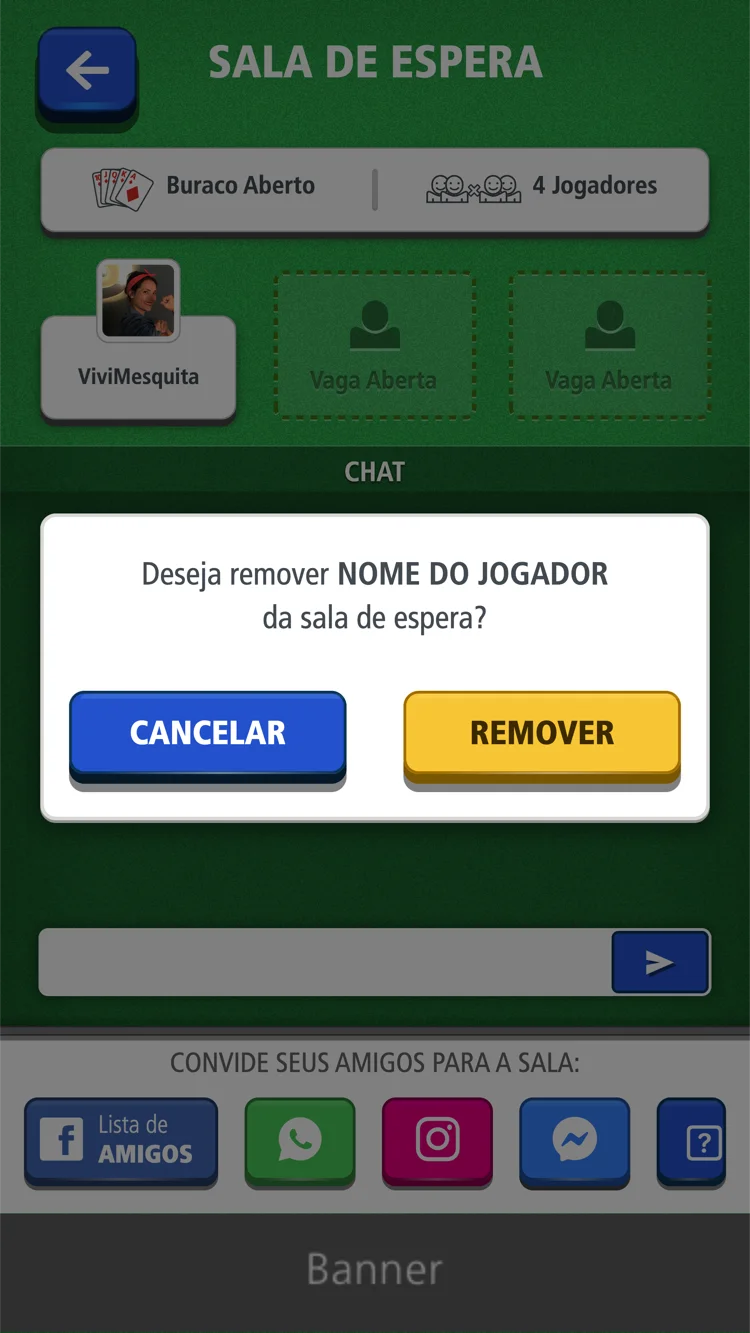
Welcome popup: the new Play with Friends offers a guided tutorial on inviting friends, with Yes, let's go and Skip tutorial buttons Tutorial tooltip in the waiting room: the open seats at the top are where you invite friends or fill the table with robots Empty waiting room: a message asks the host to use the buttons below to invite friends, above WhatsApp, Instagram and Messenger shortcuts Invite popup from an open seat: share the match on WhatsApp, Instagram or Messenger, or fill the table with robots Waiting room chat: a player joined, and the robot offers to fill the table whenever the host is ready Confirmation popup asking the host whether to remove a player from the waiting room, with Cancel and Remove buttons Fill with robots confirmation: the open seats will be taken by robots, continue? Yes or No Game table setup: the host drags or selects each player to seat their partner and two opponents Game table ready: every player is seated and the host can start the match

Guest Userflow: Joining a lobby

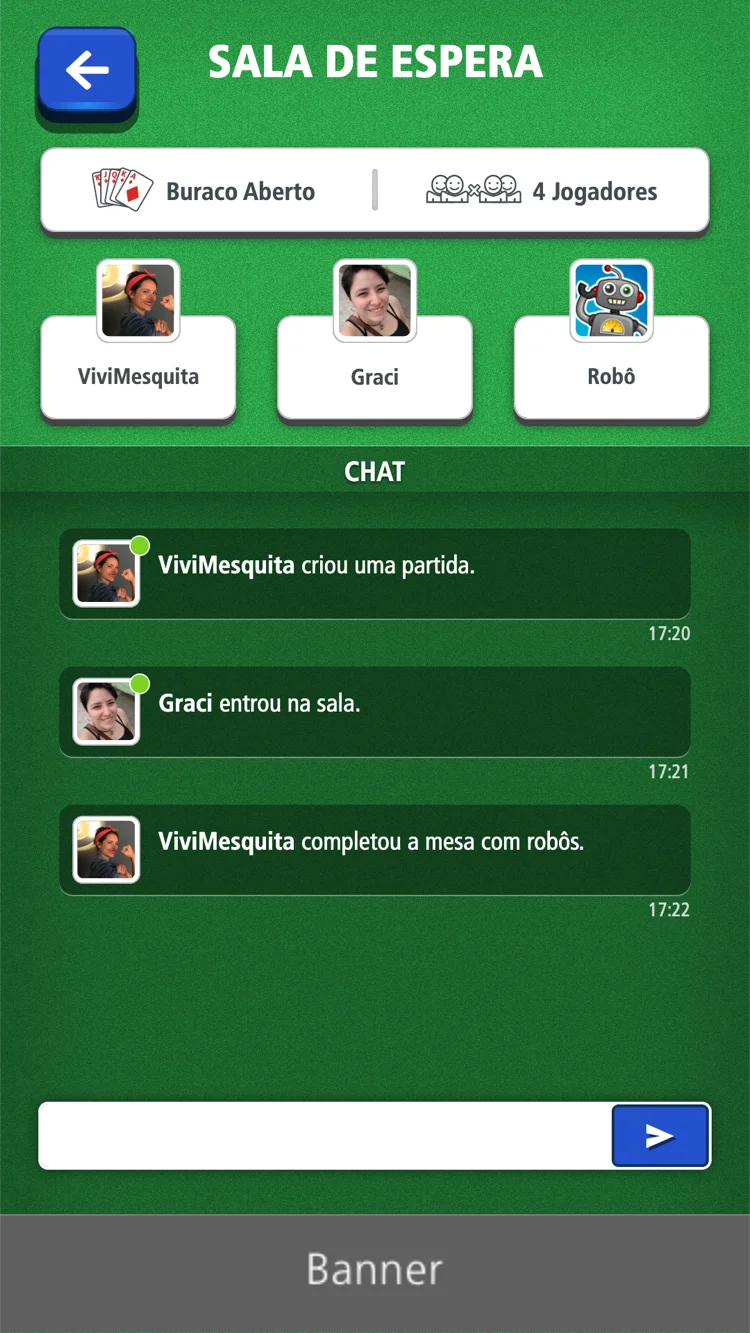
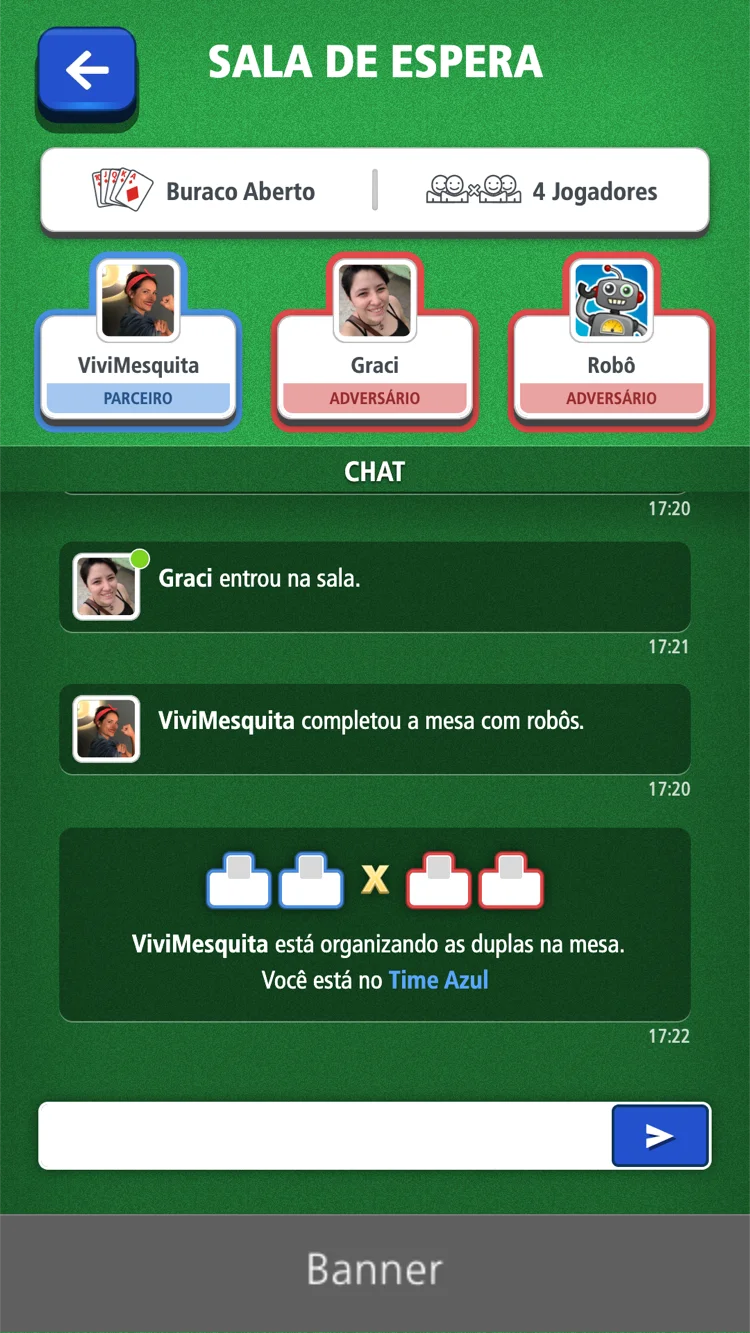
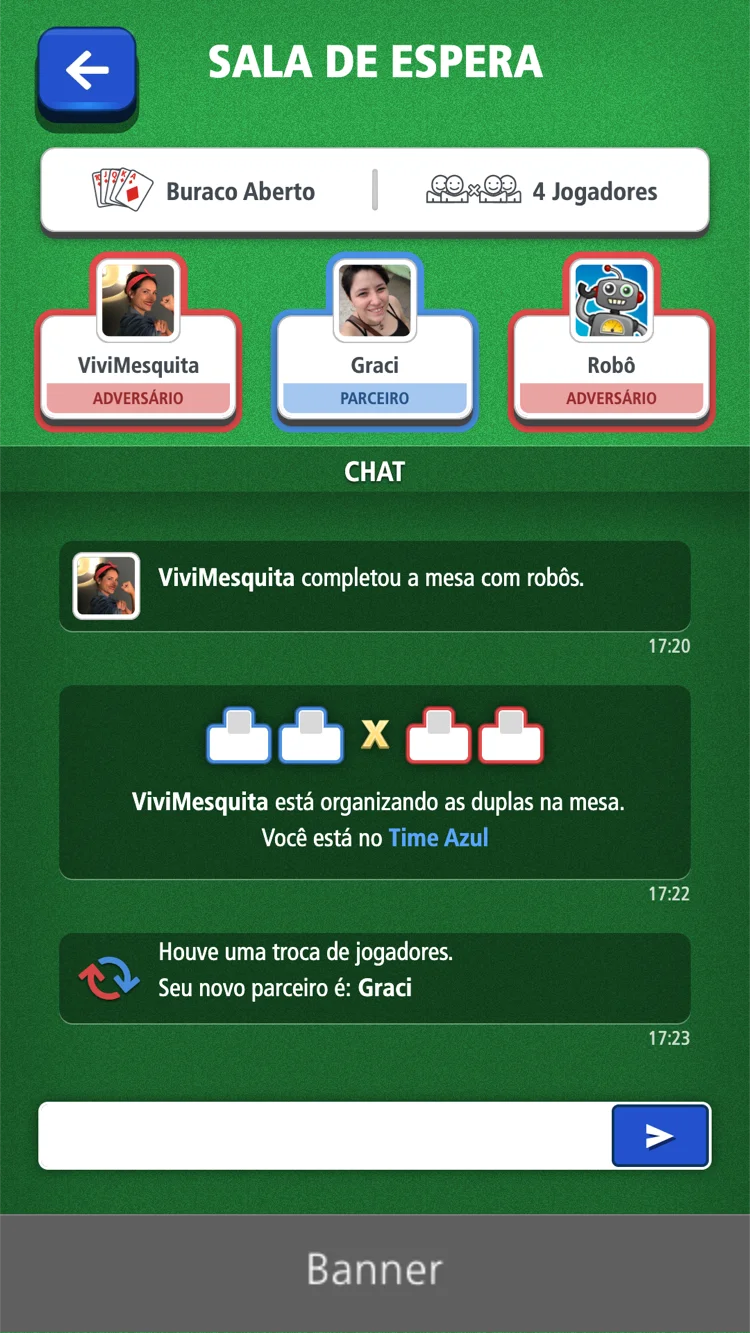
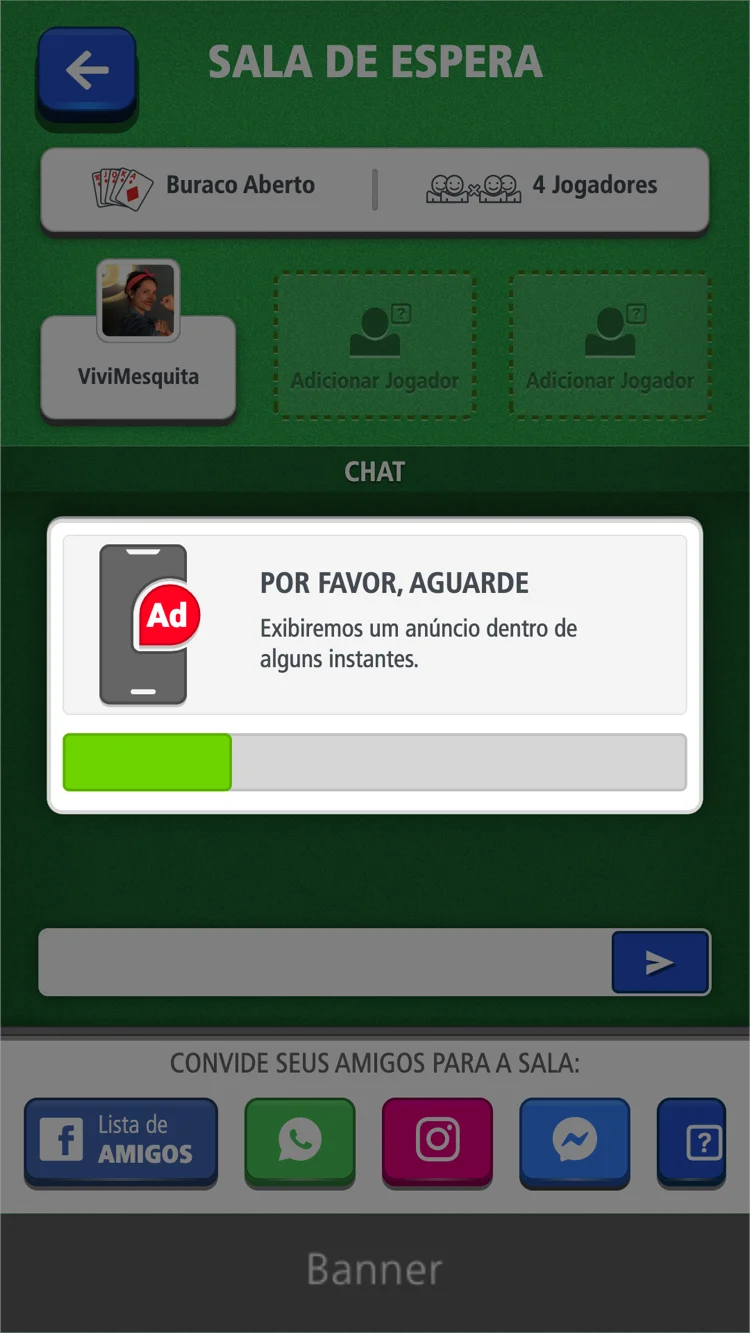
Guest joins the waiting room: the host is in the lobby, two seats are open to add players, and the chat shows the match was created Table full: the host, the guest and a robot are in the waiting room, and the chat shows the host completed the table with robots The host is arranging the pairs: each player is tagged as partner or opponent, and the chat tells the guest they are on the Blue Team Players swapped: the chat tells the guest their new partner, and the seat tags update Please wait popup: an ad will play in a few moments, with a progress bar, before the match starts

User Testing

Before releasing this feature to our users, we organized an internal user testing session. The feedback helped us identify some pain points and bugs. We took the prototype back to development, made all the changes and improvements we had found, then ran a new round of user testing to validate them.

Thanks for reading. ❤️

Take a peek at these projects too: